Your own jukebox at home – good enough to hang on a pub wall.
Dino’s Jukebox is touchscreen jukebox software for Windows. It turns a PC and a touchscreen into a proper jukebox, not just another media player. The idea is simple. First, build the home jukebox I’d want myself. Then make it good enough that a pub could run it too. Best of all, one switch changes how it behaves, so it suits a games room, a garden bar or a busy pub equally well. It’s nearly finished, with a planned price of £29.99, so here’s what it does.
For the features, specifications and (soon) the download in one place, see the Dino’s Jukebox jukebox software page.
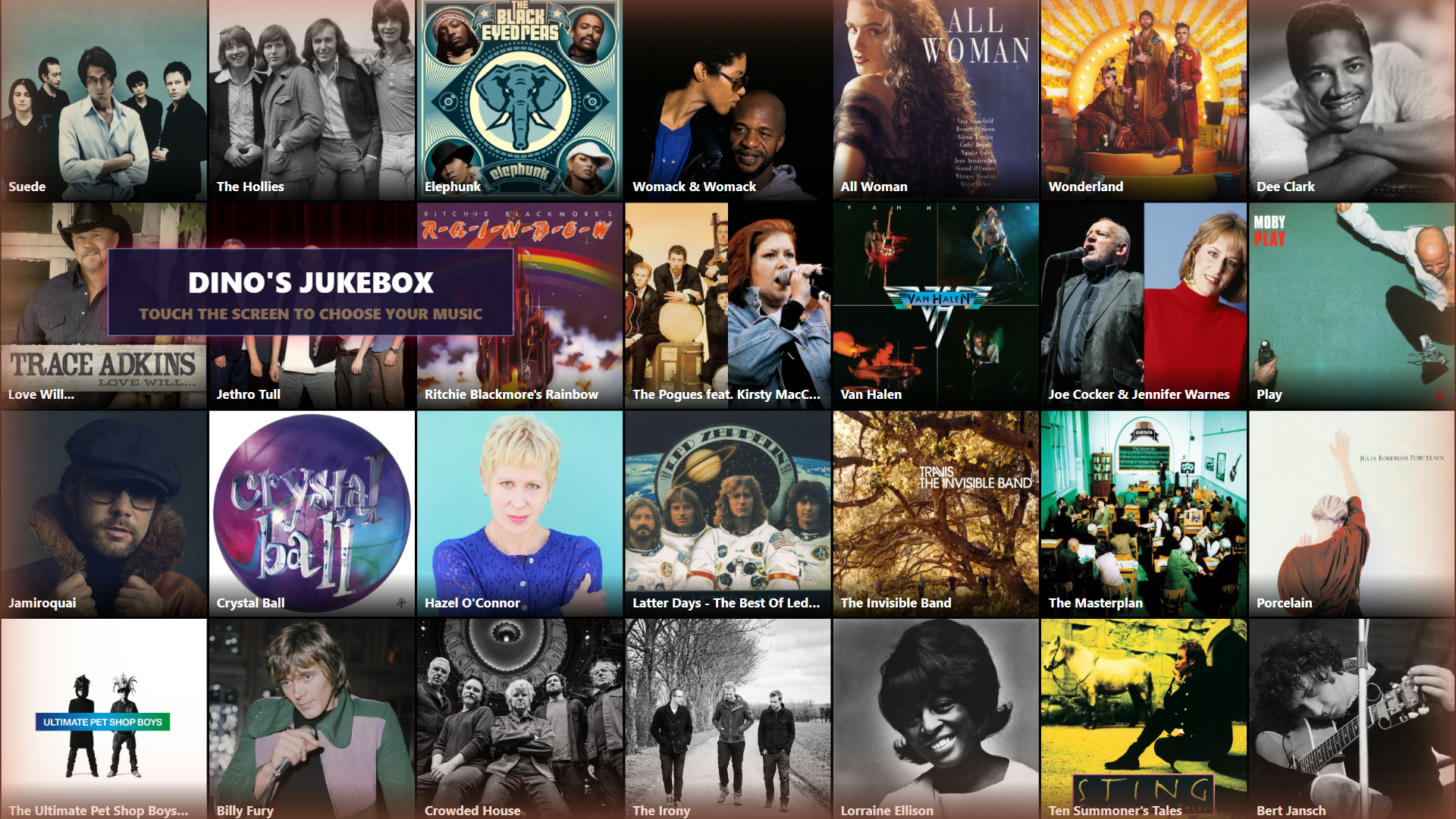
Touchscreen jukebox software for home or the pub – you decide
At home
- Free Vend – everything is free and the prices disappear
- Add Album to Queue on album pages for whole-album listening
- iPhone remote (iPad version coming soon) – queue songs from the sofa; phone requests are always free
- Built-in radio station – listen in other rooms or on smart speakers, including an Amazon Echo
- Background music that fades out the moment someone picks a song
- Seasonal looks – spring, summer, autumn, winter, Christmas and New Year
In the pub
- Coin credits – works with a coin mechanism, with your own prices
- Priority Play – customers can pay a little more to jump the queue
- Hot Here chart built from what customers actually play
- Top 50 countdown (adjustable length) introduced by a DJ voice
- Hidden operator menu for staff – test credits, skip, clear queue and more
- Volume levelling so every record plays at the same loudness
Name, prices, music location, DJ voice and stream quality all live in one plain settings file. As a result, it’s easy to set up for either job. What’s more, updating the software never touches your settings or the chart.
Made for fingers, not mice
Point it at your music collection, on the PC or a NAS, and it does the rest. First, it reads the tags and embedded artwork, groups everything by artist, album, genre and decade, and keeps itself up to date. In addition, there are five ways to browse: Artists, Albums, Genres, Hot Here and Search. You also get big photo tiles, an A–Z strip that skips empty letters and ignores “The”, and smooth sliding pages. So far, my reference jukebox has been running daily with over 12,000 tracks.

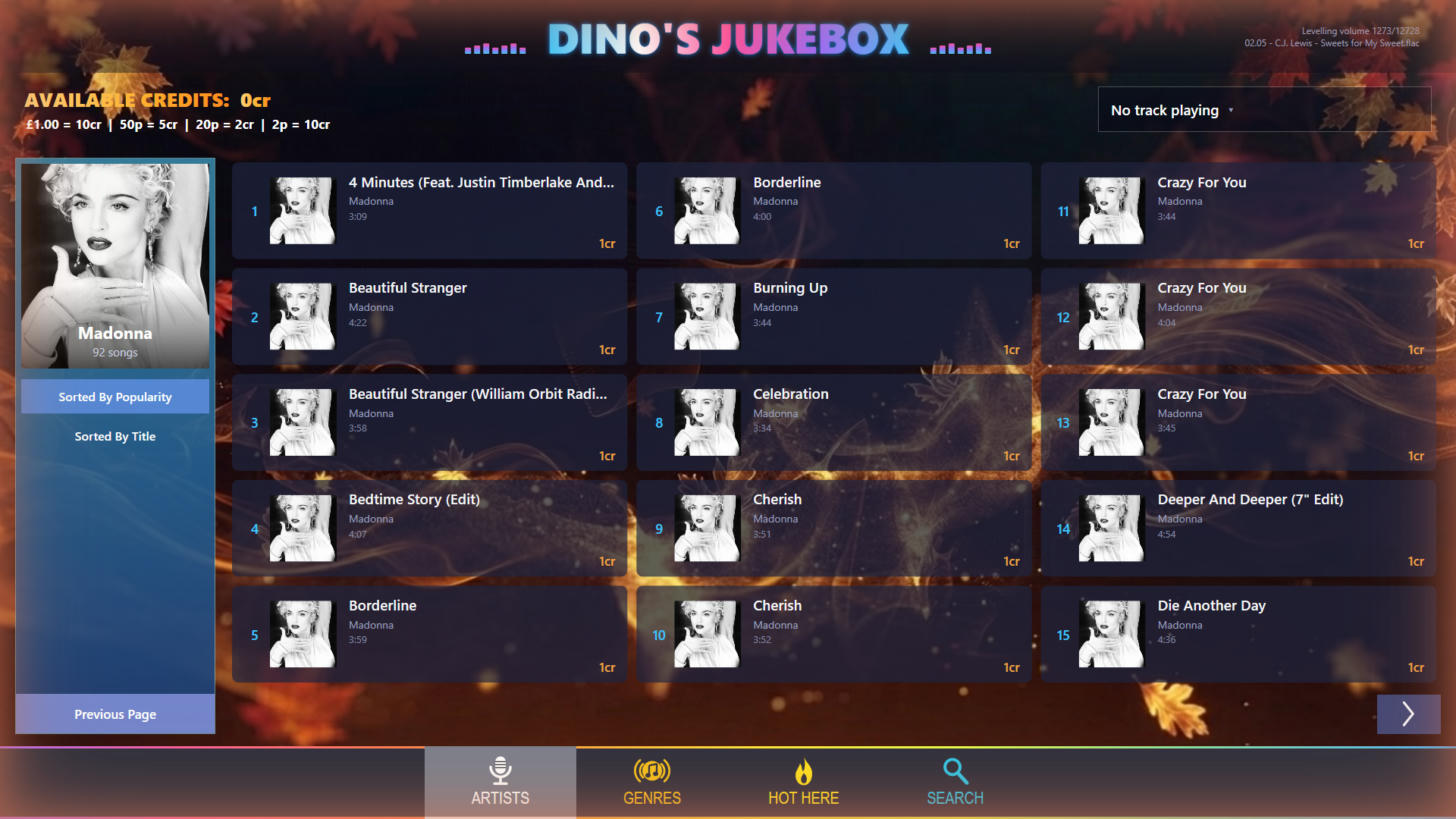
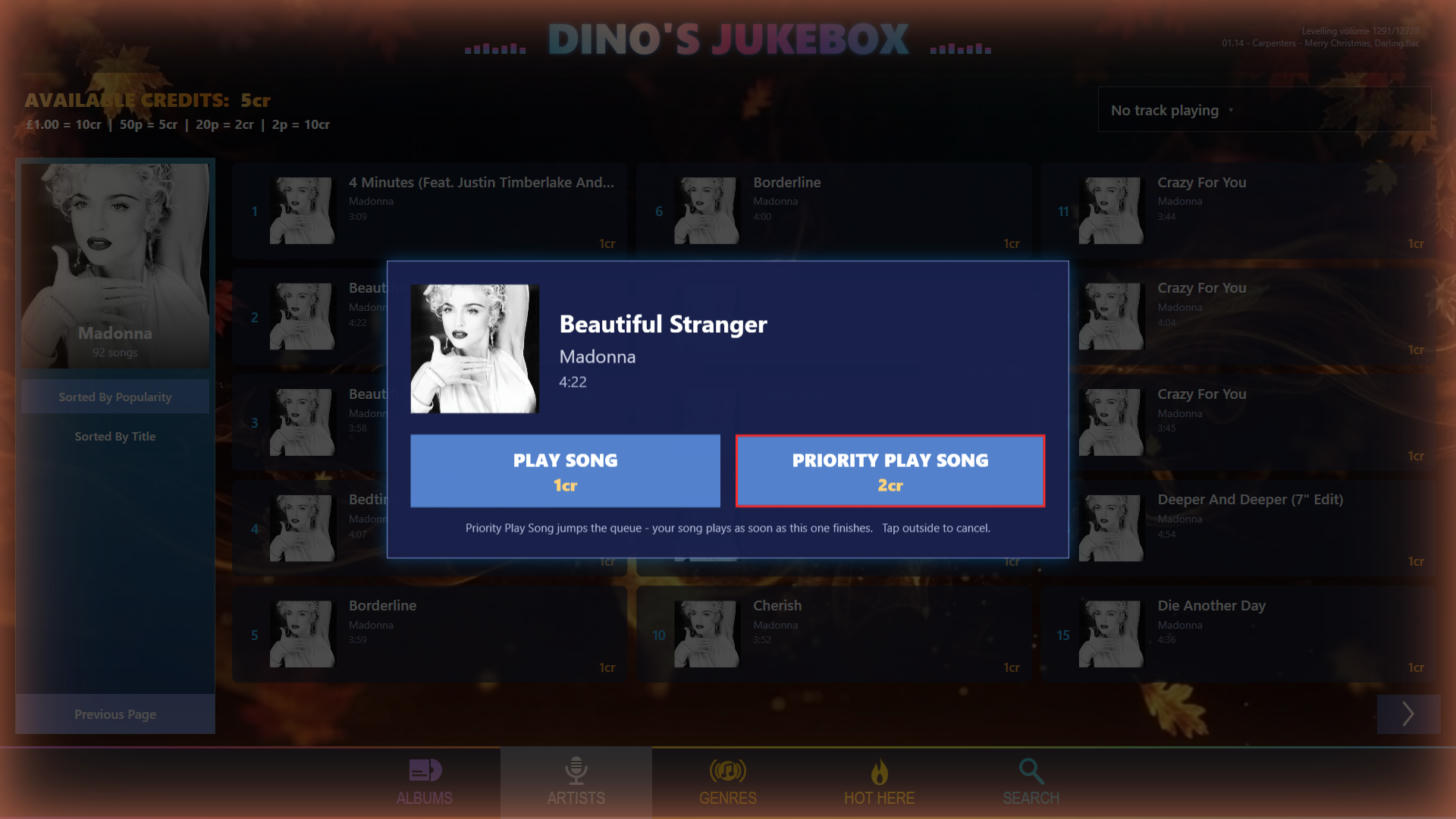

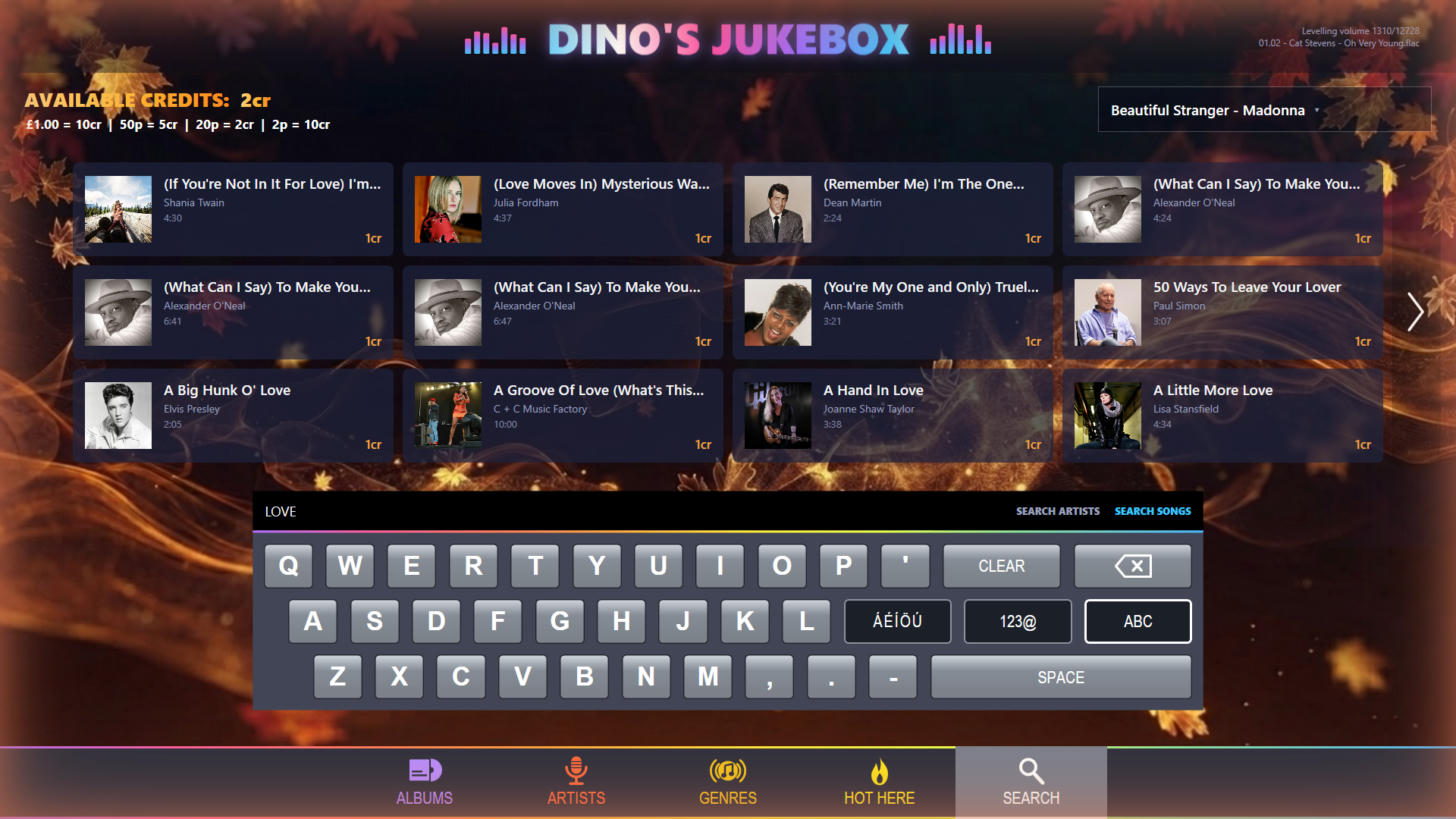
Its own chart, and a DJ to count it down
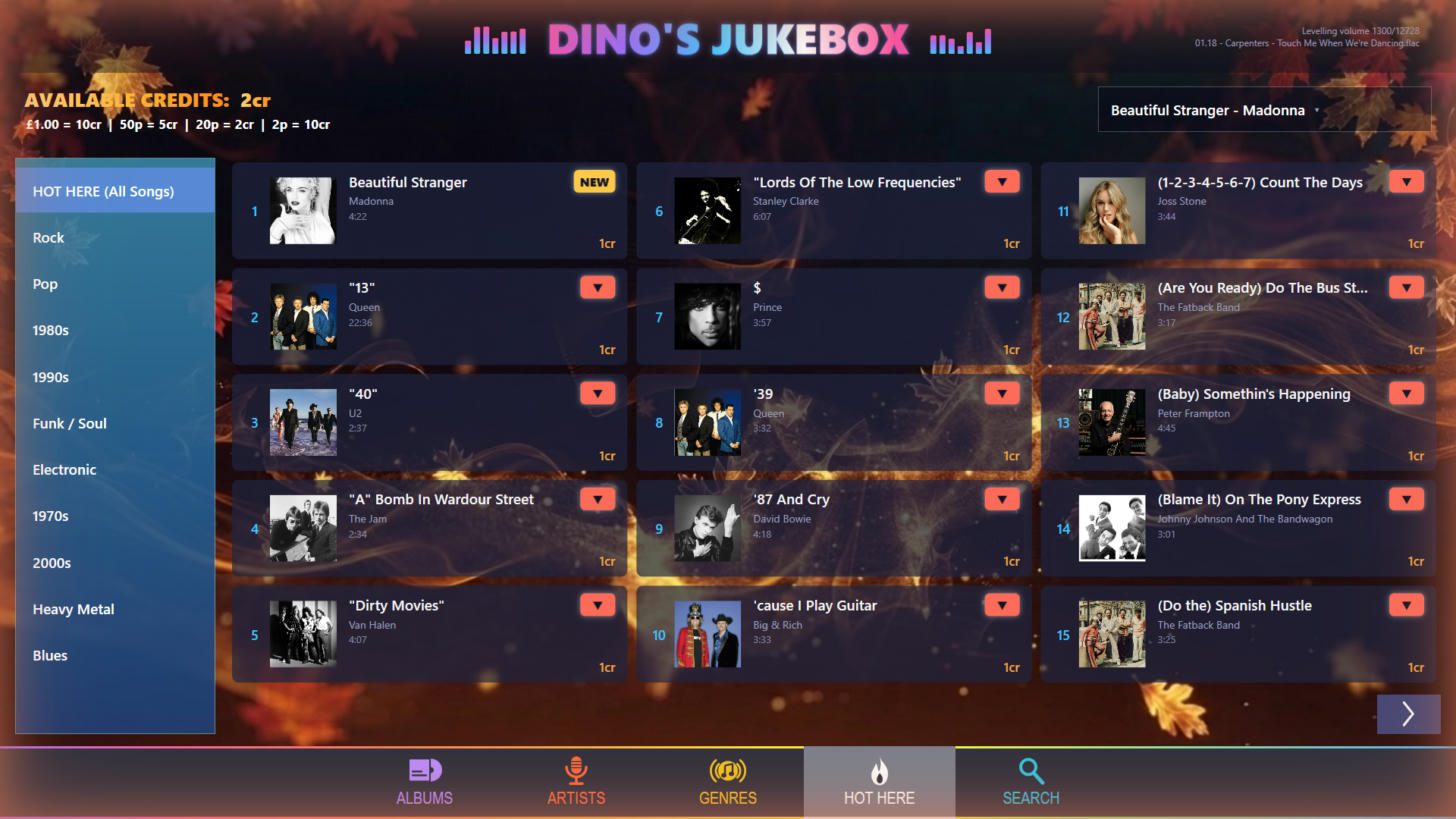
Hot Here is a live Top 50 built from real plays. It survives restarts, and you can filter it by the ten biggest genres or decades. Its up, down and NEW badges also update after every play, so people can watch their picks climbing. However, background music, countdown plays, album picks and skipped songs never count. That way, the jukebox can’t inflate its own chart.
One tap plays the chart countdown, from the full Top 50 or a shorter list you choose, all the way down to #1. Then a natural-sounding DJ introduces each record (“At number 20 this week, it’s…”), dipping the music while it speaks, just like radio. The voice runs entirely on the PC, with no cloud service. You can choose a British female or American male voice, and both are licensed for commercial use. Meanwhile, people’s own picks still play first. Also, the DJ is never cut off mid-sentence.
Easy to run
- A secret three-corner tap plus a 6-digit PIN opens the operator menu. It shows the jukebox’s health on one screen: music folder, pricing, DJ voice, levelling progress, phone pairing PIN and the radio address
- It also picks up new music automatically at start-up
- Downloads its DJ voice once, then runs offline
- Every track is measured to the broadcast LUFS standard, but your files are never changed
- Finally, it writes a clear crash log if anything goes wrong
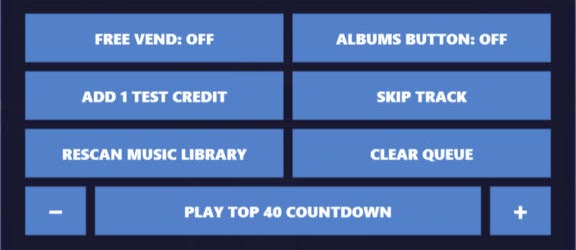
Specifications
| Platform | Windows 10 (1809 or later) or Windows 11, 64-bit, with the free .NET 8 runtimes |
| Display | Full-screen widescreen (16:9) touchscreen |
| Music | MP3, FLAC, M4A, WAV, WMA and OGG from a local drive or NAS, with tags and embedded artwork |
| Payment | Coin mechanism (one pulse per credit) with configurable song and priority prices, or Free Vend |
| Remote control | iPhone app over home Wi-Fi with automatic discovery and PIN pairing; iPad version coming soon |
| Streaming | Built-in MP3 internet radio (128–320 kbps) with now-playing titles and optional access key; can play on an Amazon Echo |
| Voice | Offline Piper neural text-to-speech: British female or American male voice (commercially licensed), with a Windows voice as backup |
| Audio | EBU R128 / LUFS loudness levelling with adjustable target; honours ReplayGain tags |
| Built with | WPF / .NET 8, NAudio, TagLib#, SQLite |
An iPad version of the remote is coming soon, and a dedicated iPhone music player based on the same software is on the way. Bring the jukebox home, or back to the bar. I’ll post more as I finish it off, and the download will appear on the jukebox software page.
Leave a Reply