A jukebox app for iPhone that plays your own music like a proper jukebox – on your phone and in the car.
Dino’s Jukebox is the iPhone version of my Windows jukebox software. It plays the music you already own – from your NAS, your home media server, a network share or Dropbox – and wraps it in a jukebox: a Hot Here chart of what gets played most, a countdown with a DJ who announces each position, smooth crossfades, and a big Now Playing screen with sing-along lyrics.
It’s free to try for 7 days, then £7.99 a year by subscription through the App Store. There are no adverts and no accounts. Nothing about you or your music is sent to me.
Get it on the App Store
Free to download, with a 7-day free trial. After the trial it’s £7.99 a year, and you can cancel at any time in your Apple Account settings. Works on iPhone with iOS 17 or later, and in the car with CarPlay.
On a computer? Scan the code with your iPhone’s camera to go straight to the app.

What the jukebox app for iPhone does
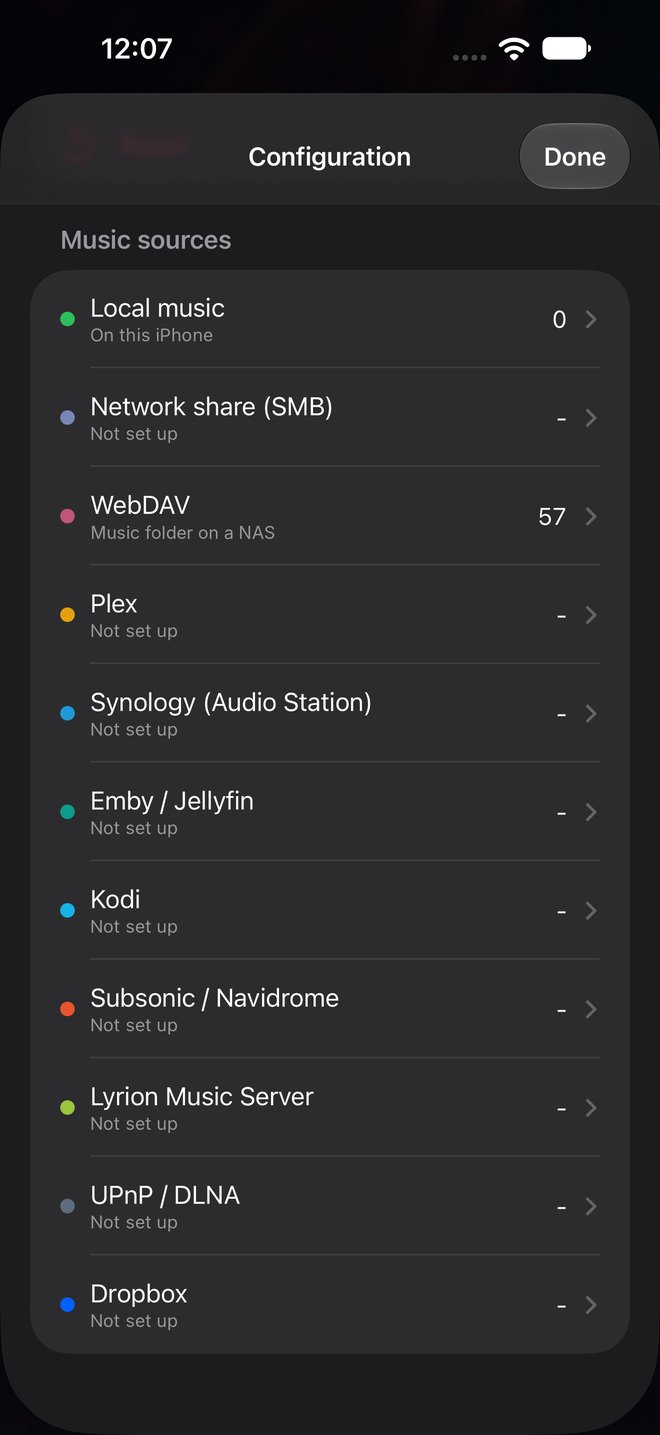
- Plays your own library from up to a dozen kinds of source, all at once if you like
- Hot Here chart – the most-played songs, with up, down and NEW badges
- Countdown – play the top 5 to 50 in reverse order, with the DJ announcing each position
- DJ voice – announces the countdown and introduces songs that were UK or US top 10 hits
- Chart positions – shows how high each song got in the UK or US charts, e.g. (UK 3)
- Crossfade and levelling – songs blend into each other at an even volume
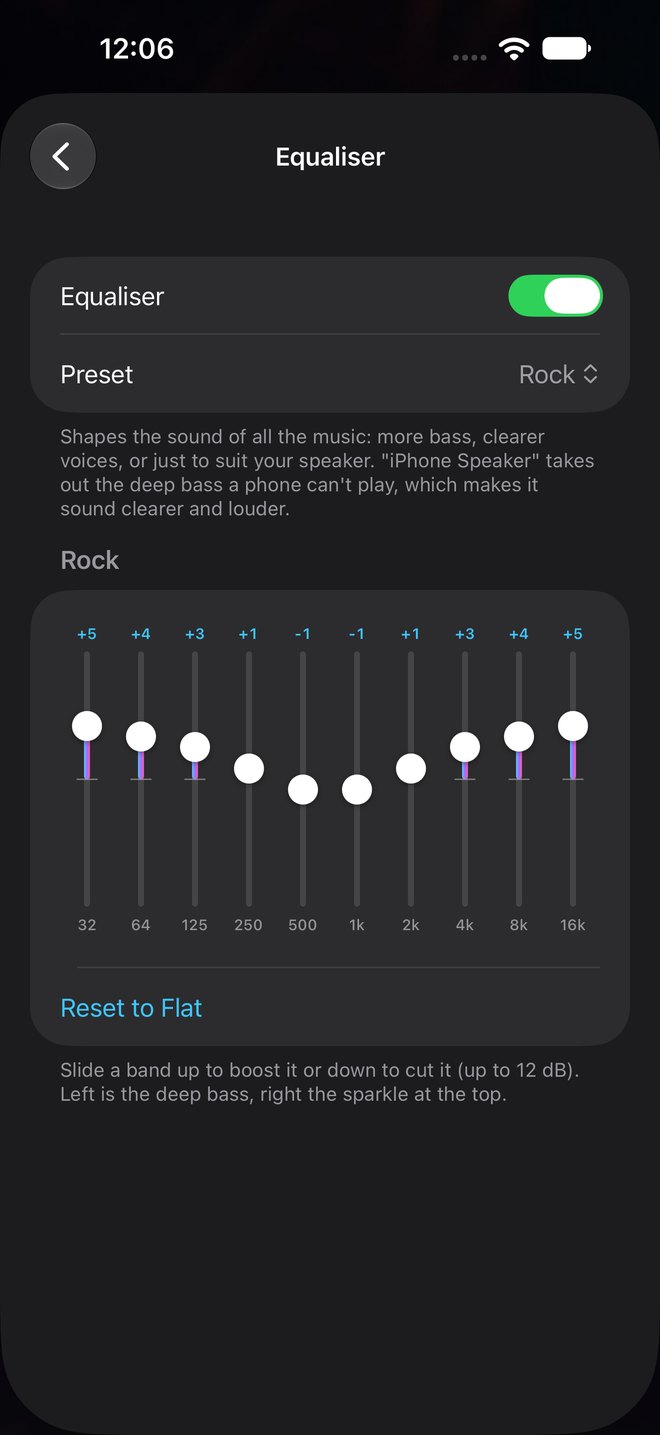
- Graphic equaliser – 10 bands with 13 presets, including one for the iPhone speaker
- Big Now Playing screen – after 20 seconds untouched, the artwork fills the screen and flips to the artist photo
- Lyrics – the line being sung is highlighted, with a bouncing ball when the lyrics are timed word by word
- CarPlay – Hot Here, Albums and Artists on the car’s screen, with Up Next
- Control Centre and lock screen controls, AirPlay and Bluetooth
Where your music can come from
- Files on your iPhone, or a folder in the Files app
- A network share (SMB) on a NAS or computer
- A WebDAV folder
- Plex
- Synology Audio Station, at home or through QuickConnect
- Emby and Jellyfin
- Kodi
- Subsonic and Navidrome
- Lyrion (Logitech Media Server)
- UPnP / DLNA media servers
- Dropbox
Songs stream as they play, and the app also keeps recently played songs, so the jukebox carries on smoothly if the Wi-Fi drops for a moment. You can also download songs to play with no connection at all.
Screenshots
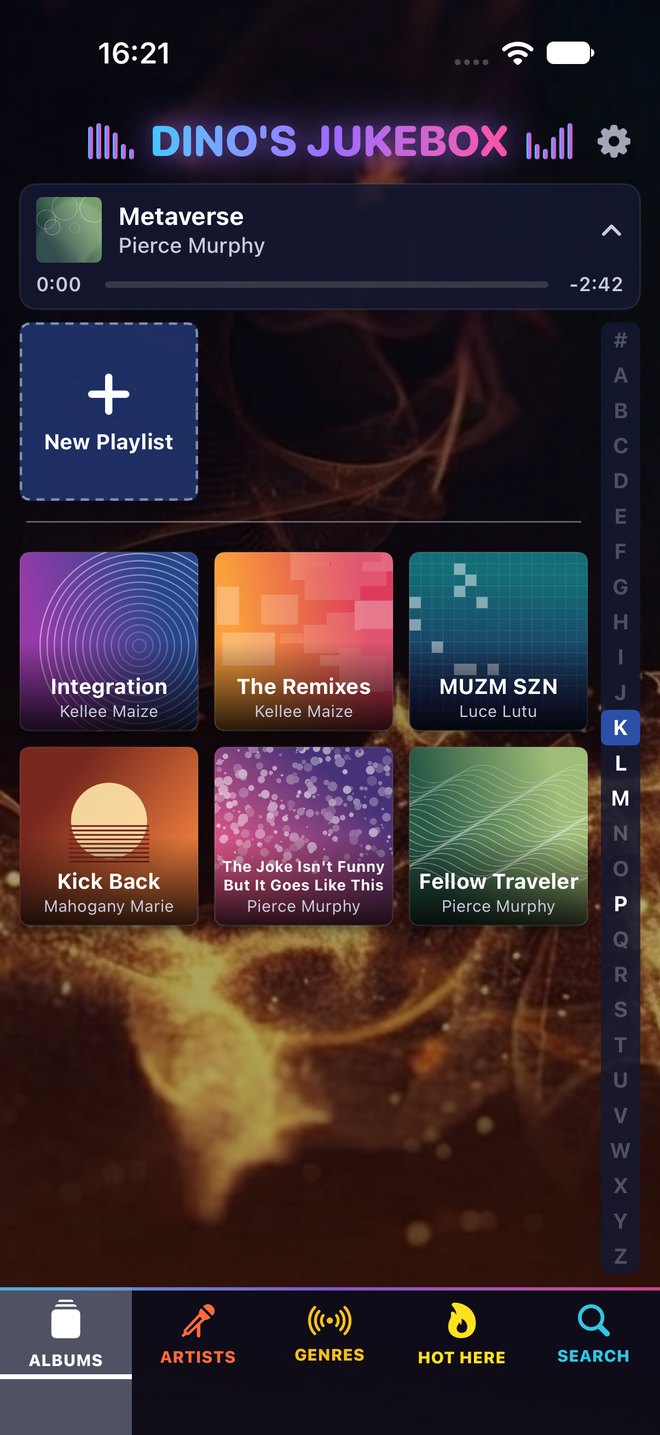
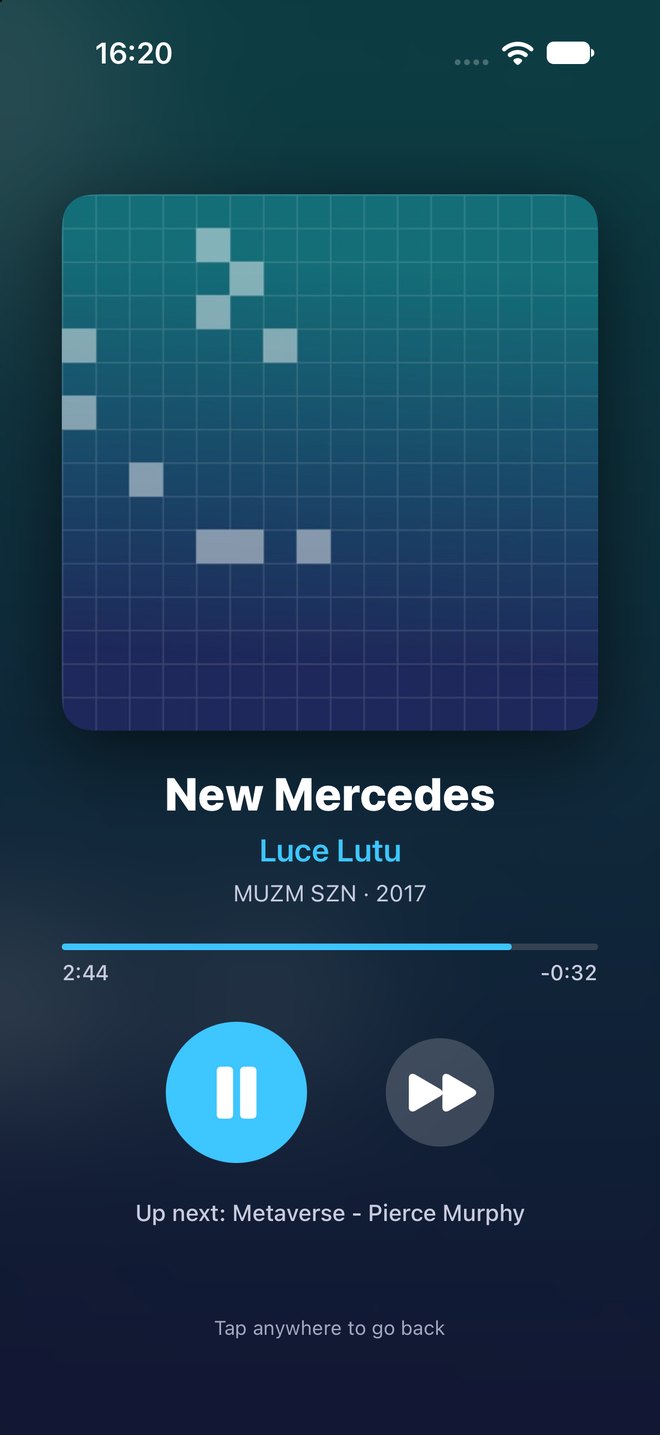
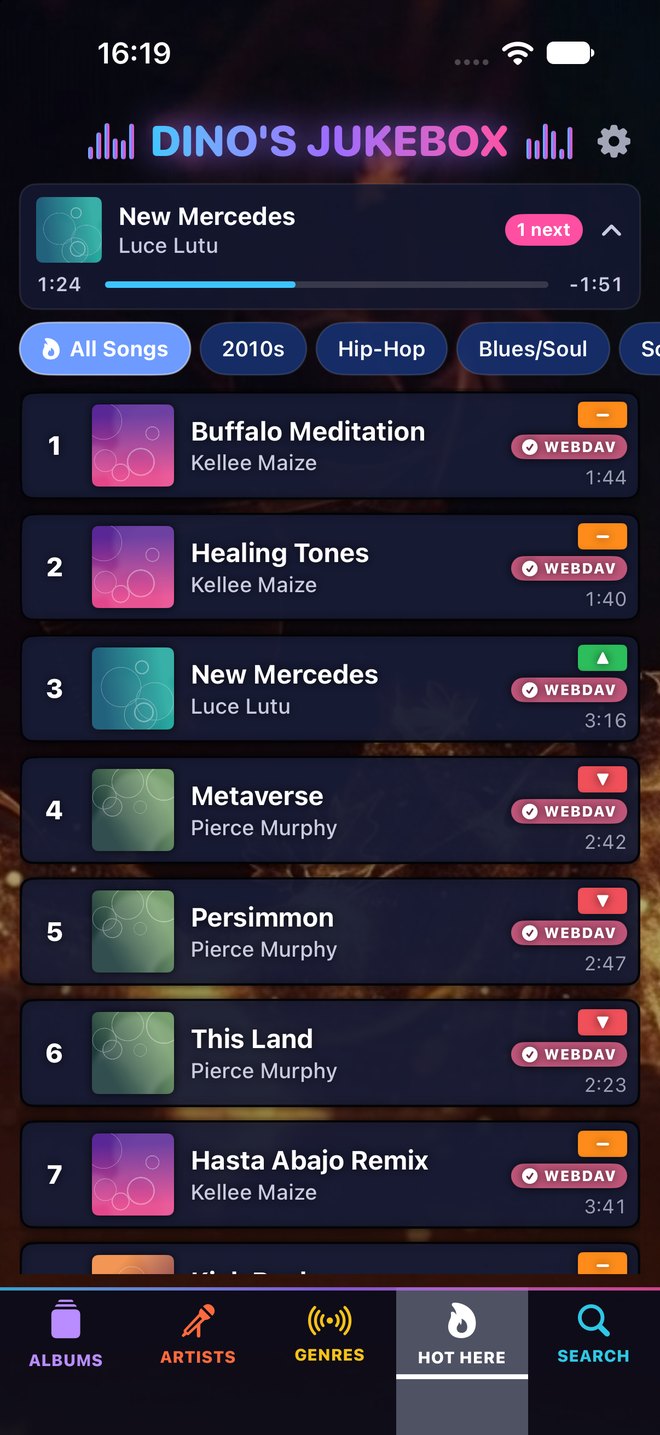
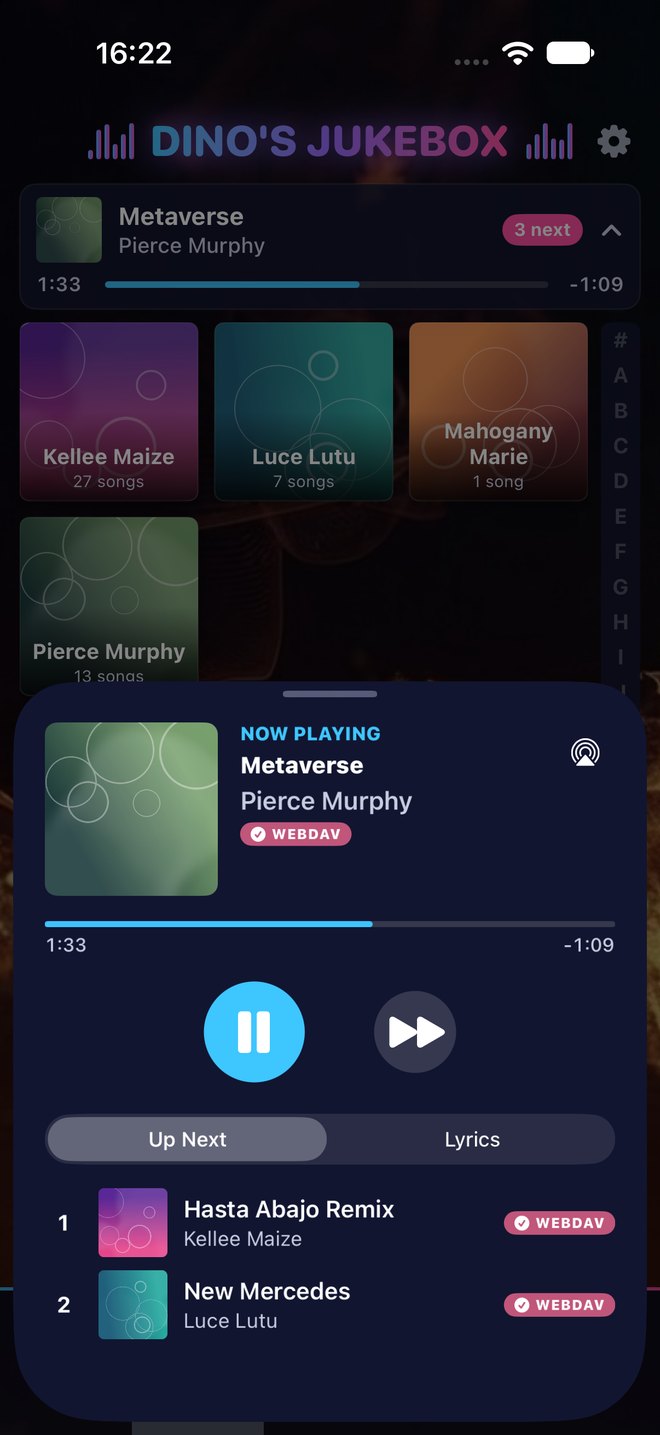
Specifications
| Device | iPhone running iOS 17 or later |
| Price | Free download with a 7-day free trial, then £7.99 a year (in-app subscription) |
| Download | App Store |
| Car | Apple CarPlay |
| Music | MP3, AAC / M4A, ALAC, FLAC, WAV and AIFF from your own sources |
| Sources | Local files, Files app, SMB, WebDAV, Plex, Audio Station, Emby, Jellyfin, Kodi, Subsonic, Navidrome, Lyrion, UPnP / DLNA, Dropbox |
| Lyrics | From LRCLIB, when switched on |
| Chart positions | UK Singles Chart and Billboard Hot 100 peaks from Wikipedia, when switched on |
| Privacy | No accounts, no adverts, no tracking, no data collected |
Frequently asked questions
How much does it cost?
It’s free to download and free for the first 7 days. After that it’s a yearly subscription of £7.99 (the local equivalent in other countries), charged to your Apple Account. You can cancel at any time in your iPhone’s Settings › your name › Subscriptions.
Where do I get it?
On the App Store – search for “Dino’s Jukebox”, or scan the QR code above with your iPhone’s camera.
Does it come with any music?
No. Dino’s Jukebox plays music you already have. It doesn’t stream from Spotify, Apple Music or any other subscription service.
Do I need a NAS or a server?
No. You can play songs stored on the iPhone itself or in a Dropbox account. A NAS or media server just lets you use a much bigger library.
Does it work away from home?
Yes, if your server can be reached from outside – for example Plex, Synology QuickConnect or Dropbox. Songs you download play with no connection at all.
Does it work in the car?
Yes. Dino’s Jukebox supports Apple CarPlay, with the Hot Here chart, albums, artists and Up Next on the car’s screen.
Where do the lyrics and chart positions come from?
Lyrics come from LRCLIB, a free lyrics database, and chart positions from Wikipedia. Both can be switched off in Configuration.
Is there a Windows version?
Yes – Dino’s Jukebox for Windows is touchscreen jukebox software for home or the pub.
How do I get help?
See the support page, or email developer@matthews.casa.